
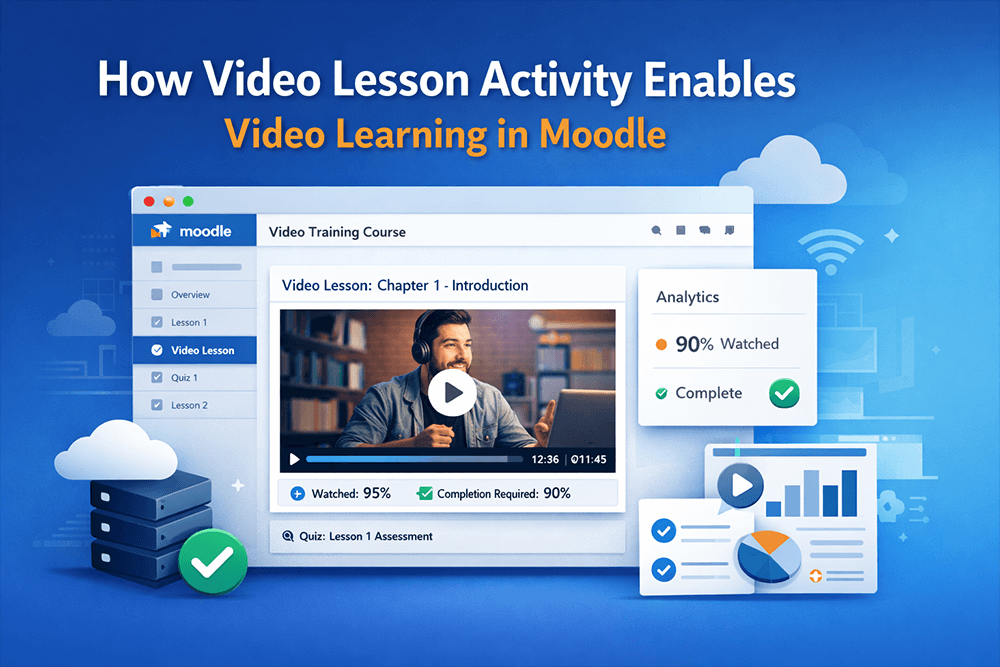
Over the last decade, video has shifted from being an optional learning enhancement to becoming the core instructional format in online education. Whether it’s microlearning, compliance training, instructor-led sessions, onboarding programs, or academic lectures, video has become the most trusted medium for delivering clear, engaging, and scalable learning content.
Learners expect it. Organizations depend on it. And e-learning platforms are judged by how well they deliver it.
But this created an unexpected problem inside Moodle — the world’s most widely used open-source LMS. Moodle was built long before video-driven learning became the norm, and while it supports video files, it was never engineered as a video management or video streaming platform. The result? Thousands of Moodlers have struggled for years to make video a first-class learning component inside Moodle.
This is the story of why Moodle couldn’t support video-driven courses at scale, how educators tried to work around the limitations, and how the Video Lesson Activity plugin finally solves the missing piece Moodle always needed.
The Rise of Video-Driven Learning — and Why It Became Essential
Across industries, the demand for video learning has skyrocketed. There are a few reasons for this shift:
- People learn faster from video — showing is more effective than telling.
- Mobile learners prefer compact, visual content instead of long PDFs or pages of text.
- Organizations need consistent training delivery, and video standardizes how content is presented.
- Compliance and certification programs rely on accurate tracking, which videos support when done correctly.
Modern learners are conditioned by platforms like YouTube, Coursera, Netflix, and LinkedIn Learning — video feels natural, intuitive, and effortless.
So Moodle users tried to adapt. Teachers uploaded lecture recordings. Trainers added explainer videos. Administrators encouraged video-based modules. And students responded positively.
But underneath that success was a growing problem.
The Problem: Moodle Allowed Video Uploads — But Not Video-Based Courses
At first glance, Moodle appears video-friendly. You can drag-and-drop an MP4 file, embed a YouTube link, or attach media to any activity. For small sites, this works well enough.
But as soon as organizations tried to build truly video-driven courses, the cracks began to show.
1. Moodle’s file storage was never designed to host large video libraries
Moodle could store videos—mostly small ones—but it could never scale them. The moment courses grew and real video libraries appeared, everything started to buckle.
Storage ballooned. Backups slowed. Servers became heavier. Even simple file operations caused performance issues. Moodle could technically “hold” videos, but nowhere near the scale needed for modern video-based instruction.
2. Moodle’s default video playback was not built for e-learning
The built-in video handling in Moodle uses the browser’s native playback capabilities. This means:
- No adaptive streaming
- No automatic resolution switching
- No buffering optimization
- No fallback formats
- No mobile optimization
- No modern, distraction-free player
For today’s learners—especially those on phones or slow networks—this is a noticeable downgrade from the streaming quality they expect.
3. Multiple learners watching videos at the same time overloaded Moodle servers
When 20, 50, or 200 learners try to stream videos stored inside Moodle, the server must deliver each video repeatedly. This introduces:
- slow video buffering
- server CPU spikes
- heavy disk I/O
- long course page loading times
- overall site slowness
The entire LMS becomes sluggish, even for users who aren’t watching videos.
This is especially problematic for:
- universities running semester-long video courses
- corporate training cycles
- multilingual platforms hosting regional training
- membership sites delivering video-heavy lessons
It quickly became clear: Moodle could host videos, but not support large-scale video learning.
4. No built-in video completion tracking — a major gap
Even when videos played smoothly, Moodle had no idea whether a learner actually watched them. Moodle’s completion system only tracks:
- if the page was opened
- if the activity was clicked
- if a checkbox was ticked
For video-based courses — particularly compliance and structured learning — this was a deal-breaker. Teachers needed to know:
- Did the learner watch the whole video?
- Did they skip through it?
- How long did they watch?
- Where did they drop off?
Moodle offered no native solution.
The Workaround: Moodlers Turned to Third-Party Video Platforms
To bypass Moodle’s limitations, many organizations began using tools like:
- Vimeo
- Panopto
- Kaltura
- YouTube (unlisted/private)
These platforms offered features Moodle didn’t:
- scalable video hosting
- adaptive streaming
- analytics dashboards
- easier sharing
- embedded players
But they introduced their own challenges:
- Videos no longer lived inside Moodle
- Admins had to manage two systems
- Embeds created privacy and access complications
- Students often left the course environment
- Analytics were split between platforms
- Compliance tracking was still incomplete
- Costs increased as usage grew
- Vendor lock-in made switching difficult
Moodlers traded one set of problems for another.
The Realization: Moodle Needed a Video-First Activity Type
What Moodle truly lacked wasn’t a video file uploader — it was a purpose-built video lesson activity that treated video as a structured learning object, not as a static file.
It needed:
- scalable hosting integration
- real analytics
- completion rules based on watch time
- a clean, modern video player
- a central video library
- on-site management instead of third-party dashboards
- seamless Moodle UX
- the ability to power entire video-driven courses
This missing capability had held back Moodle’s potential for years. The Video Lesson Activity plugin was built to solve exactly this.
How the Video Lesson Activity Plugin Finally Enables True Video-Driven Learning in Moodle
The Video Lesson Activity plugin introduces a complete video learning layer into Moodle — something the platform has historically lacked. Instead of treating videos as static files, it turns them into interactive, trackable, scalable learning components.
Here’s how it solves each of Moodle’s long-standing problems.
1. Video handling becomes scalable and cloud-ready
Even though the plugin’s logic runs fully inside Moodle, it integrates with AWS for actual video hosting and transcoding. This means:
- videos don’t overload Moodle storage
- streaming is fast and adaptive
- mobile learners get smooth playback
- multiple simultaneous viewers no longer strain the LMS
It gives Moodle the video delivery power of a professional VMS — without leaving Moodle.
2. The missing feature: enforceable video completion rules
This is one of the most transformative capabilities. For the first time in Moodle, you can define a rule like:
Learner must watch 90% of the video to continue.
Fast-forwarding can be restricted. Skipping is prevented. Completion is based on actual engagement — not whether the page was opened.
This transforms video from passive content into a measurable learning object, perfect for compliance, certification, and structured programs.
3. Built-in analytics with real learner-level insights
Educators can finally see:
- how much of the video each learner watched
- at which points they paused or dropped off
- total view time
- average watch percentage across the class
This level of visibility was impossible using Moodle’s native tools — and nearly impossible with third-party VMS embeds.
4. A modern, distraction-free video player for learning
The plugin uses a clean, responsive player that feels familiar and professional — far removed from Moodle’s default media playback. It’s optimized for learning, not entertainment.
Learners stay focused, on both desktop and mobile.
5. A central Video Library for managing and reusing videos
Instead of uploading videos into each activity (which caused duplication and chaos), the plugin introduces a central library. Teachers can organize videos into folders, tag them, reuse them across courses, and avoid redundancy.
This is a major step toward making Moodle feel like a complete video platform.
6. Everything stays inside Moodle — no more managing two systems
Unlike Vimeo or Panopto integrations, the entire workflow happens inside Moodle:
- uploading
- organizing
- embedding
- reporting
- completion logic
- analytics
Students never leave their course. Teachers maintain one unified workflow. Administrators reduce complexity and cost.
Conclusion: Moodle Finally Supports True Video-Driven Courses — Natively
For years, video-driven learning grew faster than Moodle’s built-in video capabilities. Teachers needed video. Learners preferred video. Organizations relied on video. But Moodle lagged behind, forcing users to upload videos directly to the LMS (which overwhelmed servers) or depend on third-party platforms (which fragmented workflows and increased costs).
The Video Lesson Activity plugin bridges that gap.
It brings:
- scalable hosting
- adaptive streaming
- completion rules
- analytics
- a modern player
- a video library
- and a fully native workflow
directly into Moodle — finally enabling Moodle users to design complete, video-first learning experiences.
If your courses are becoming more video-focused, or if you’ve hit limits with Moodle’s default approach, this plugin gives you the missing foundation Moodle always needed.
Table of Contents
Want to Make Your Moodle Site Better?
Supercharge your Moodle site with plugins and fixes that boost engagement, usability, and admin efficiency — all designed to work natively inside Moodle.
Get updates, fixes, and best practices right in your inbox.