
Course Completion Page for Moodle
Give Students a clear end to every course
Course completion should feel like an achievement, not just the end of the last activity. Course Completion Page gives Students a dedicated post-course experience where they can see what they achieved, access their certificate, share feedback, and understand what to do next.
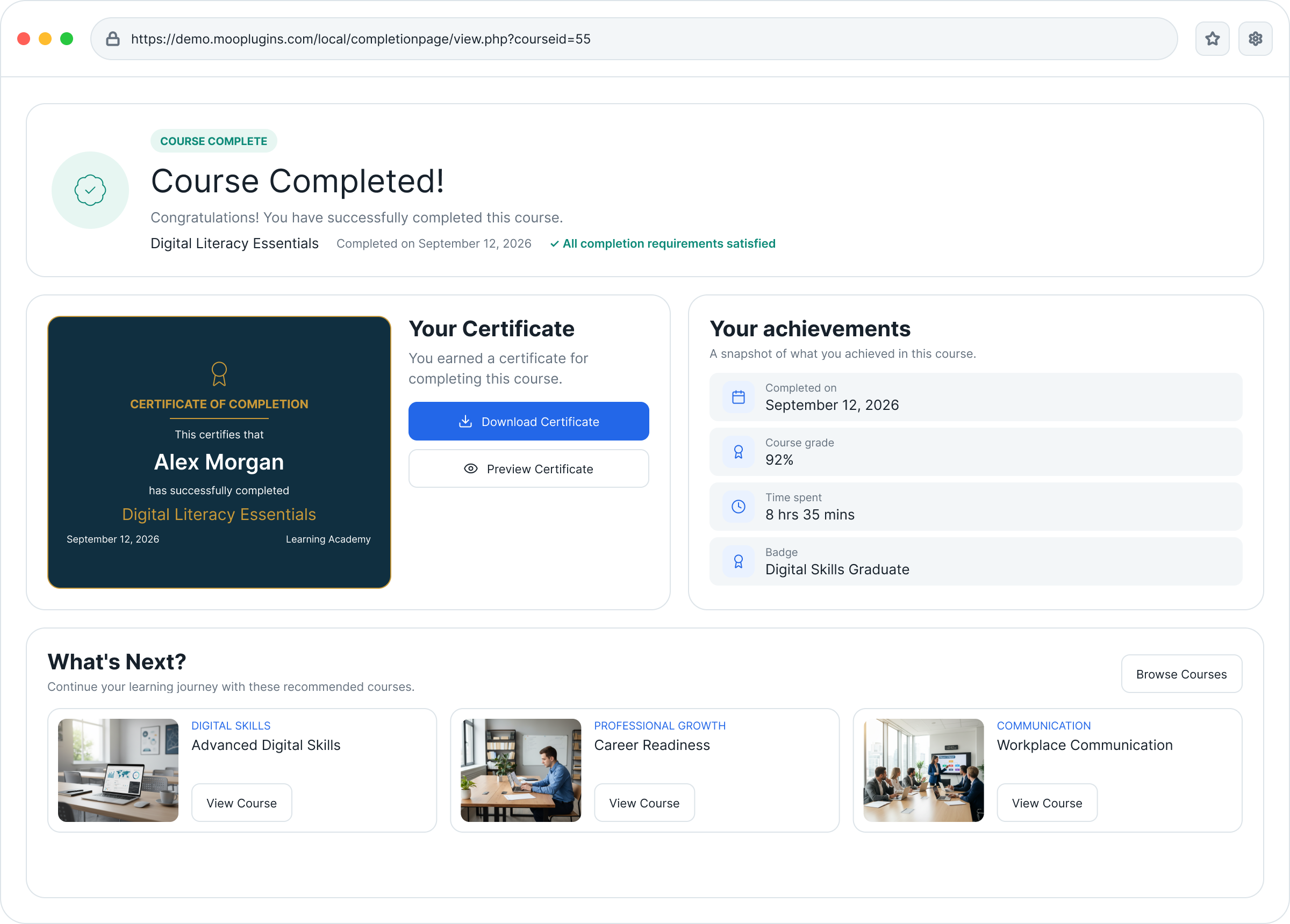
Everything Students need at course completion
Celebrate achievement and guide the next step
Once Students satisfy the course completion requirements, the learning journey can end abruptly. Course Completion Page adds the missing final step: a clear moment of completion, followed by useful information and guidance on what comes next.
Flexible configuration
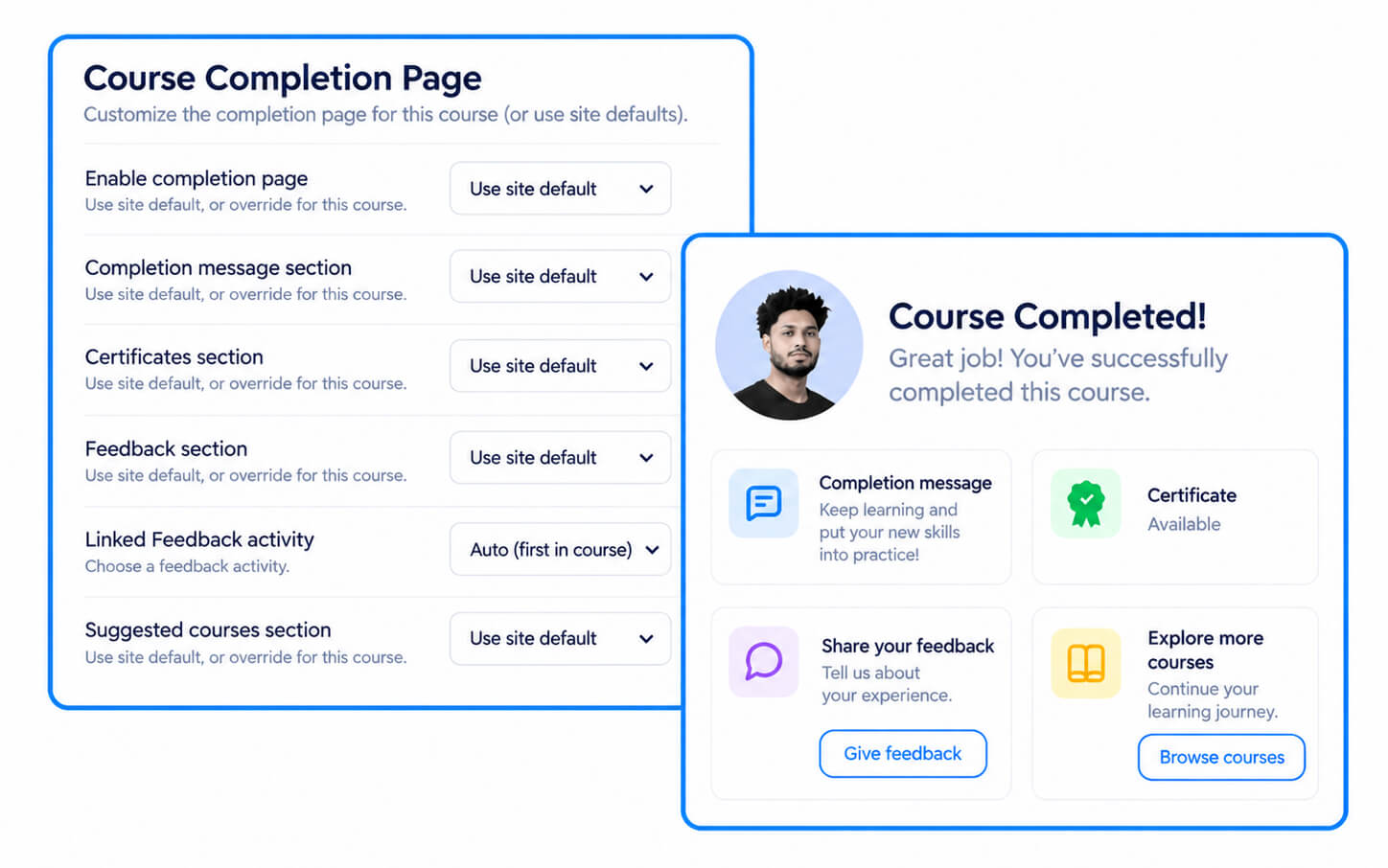
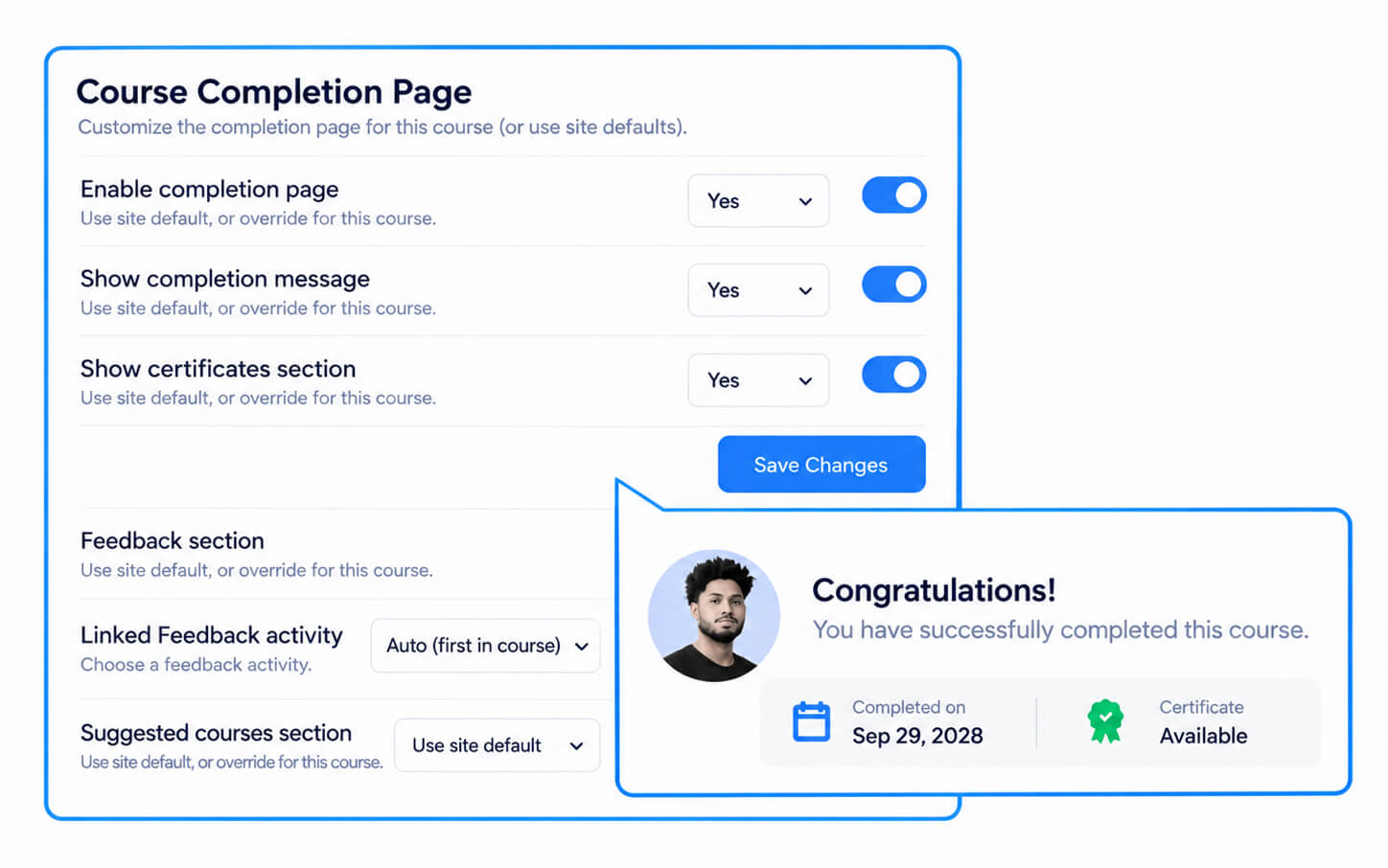
Set defaults once. Customize where needed.
Define the default Course Completion Page experience at the site level, then let Teachers adjust individual courses when needed.
How it works
Once Moodle confirms that a Student has completed the course, Course Completion Page provides a clear final step where they can review their achievement and see what to do next.
Guides for Better Course Completion in Moodle
Practical guides on creating a clearer end-of-course experience, recognizing Student achievement, collecting feedback, and guiding what comes next.
Frequently Asked Questions
Have questions? See the list below for commonly asked questions. If your question is not listed here, then please contact us.