
Time Spent Plugin for Moodle2026-09-23T17:57:46+05:30

Time Spent for Moodle

Know How Much Time Students Spend in Your Moodle Courses

Turn Moodle course activity into meaningful, session-based time totals. Time Spent helps Teachers, Managers, and Administrators see how long Students have been actively engaged in a course, with a simple course-level report and exportable data.

Students and professionals using Moodle for continuing education, employee training, compliance training, and online learning

For Moodle 4.5+ • Uses Moodle activity data • No external tracking platform required

From activity to insight

Turn Moodle Activity Into Meaningful Time Data

Moodle records what Students do throughout a course. Time Spent organizes that activity into sessions and converts it into clear, easy-to-understand course time totals.

Course activity is recorded

Students generate Moodle log events as they open course pages, activities, resources, and other content.

Activity is grouped into sessions

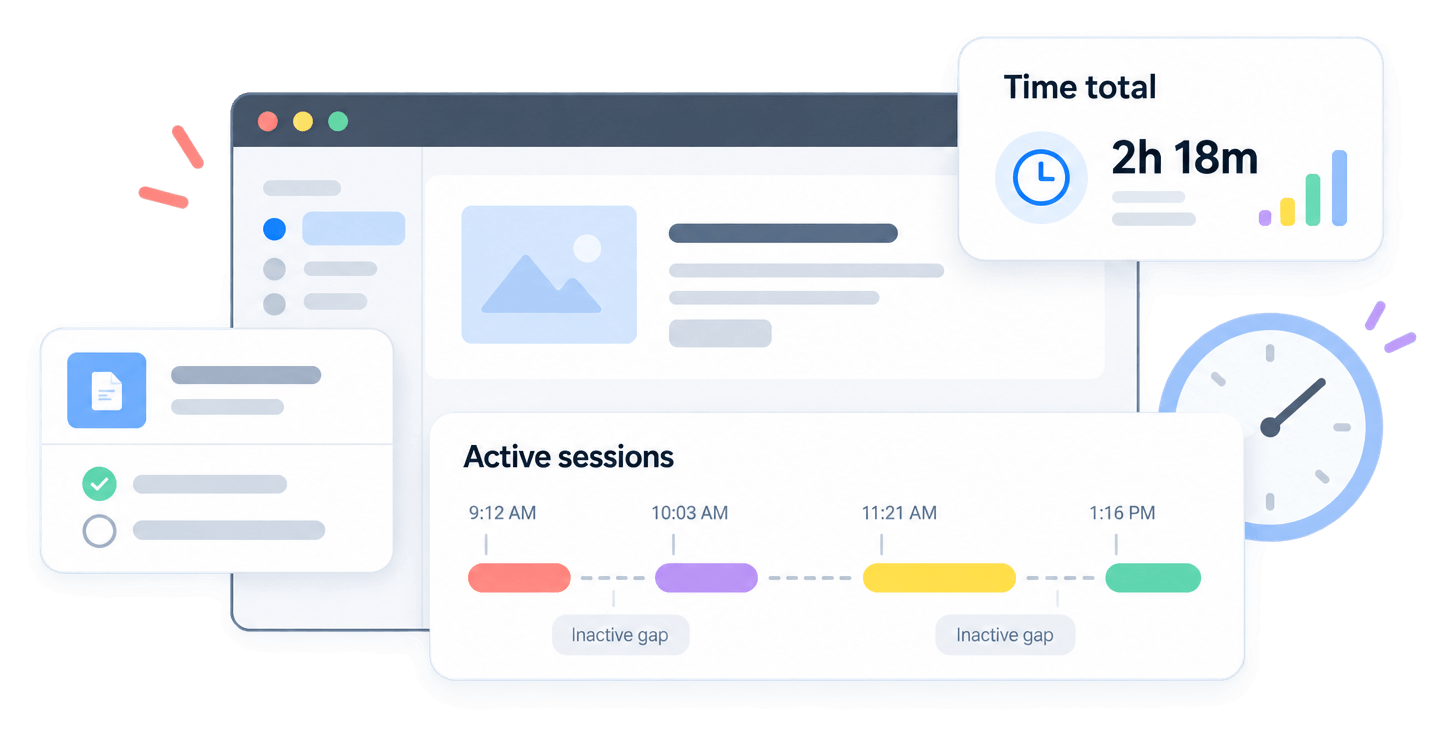
Related activity is grouped into sessions, while extended inactivity ends the current session.

Session time is totaled

Session durations are combined to show each Student’s estimated active time in the course.

Smarter time calculation

Measure Active Course Time, Not Just Elapsed Time

Leaving a Moodle course open shouldn’t automatically count as hours of activity. Time Spent uses session logic to separate active course interaction from extended periods of inactivity.
  • More meaningful totals
    Inactive periods aren’t simply treated as continuous course time.

  • Automatic session detection
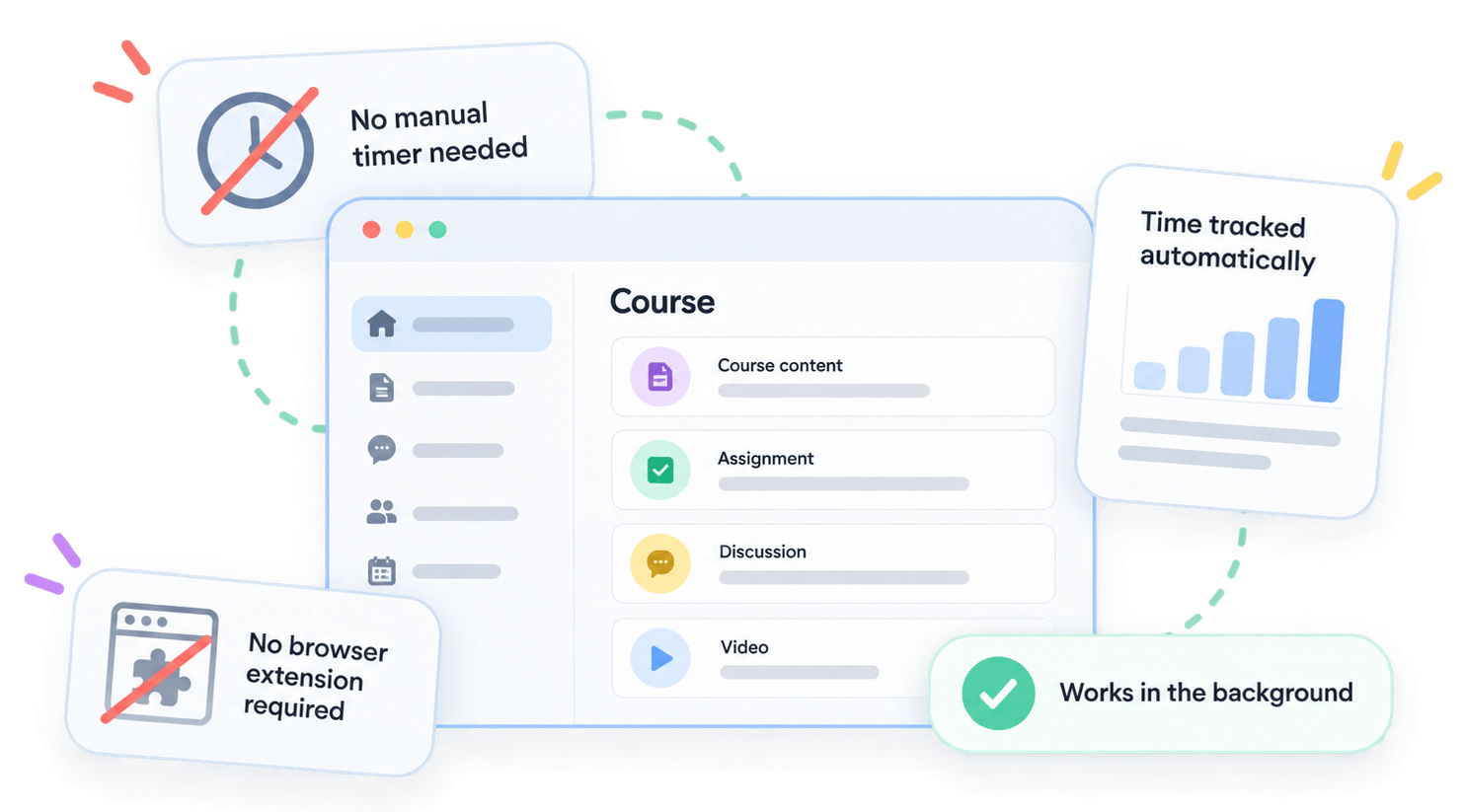
    Students don’t need to manually start or stop a timer.
  • Moodle-native tracking
    Time is calculated from activity already recorded while Students use their courses.
Moodle course activity tracked automatically without a manual timer, browser extension, or separate tracking tool
Students and professionals using Moodle for continuing education, employee training, compliance training, and online learning

Native to Moodle

Built Into Moodle, With No Extra Work for Students

Time Spent works with Moodle’s existing course activity records, so there is no separate Student timer, browser extension, external analytics dashboard, or additional tracking workflow to manage.

Students continue using their courses normally while Time Spent calculates session-based totals in the background.

Practical use cases

Useful Wherever Course Time Matters

Time Spent adds useful engagement context to training, continuing education, employee learning, and self-paced Moodle courses.

Continuing education

Review active course time alongside completion and professional development records.

Employee training

Understand how employees are engaging with assigned Moodle courses.

Compliance training

Use course time as an additional engagement measure alongside completion rules and assessments.

Online training

See how much active Moodle time Students accumulate across longer or self-paced courses.

Ready to try?

Know How Much Time Students Spend in Your Moodle Courses

Turn Moodle activity into meaningful, session-based time totals. See how long Students have been actively engaged in a course without relying on external tracking tools.

Frequently Asked Questions

Have questions? See the list below for commonly asked questions. If your question is not listed here, then please contact us.

How does Time Spent calculate course time?2026-09-23T12:25:33+05:30

It groups Moodle course activity into sessions. Extended inactivity ends the current session, and a new session begins when activity resumes.

Does leaving Moodle open count as course time?2026-09-23T12:26:01+05:30

Not continuously. Time Spent relies on recorded Moodle activity and session logic rather than simply measuring how long a browser page remains open.

Do Students need to start a timer?2026-09-23T12:26:31+05:30

No. Students use Moodle normally while Time Spent calculates sessions from their course activity.

Who can view the reports?2026-09-23T12:27:18+05:30

Report access is controlled through Moodle capabilities, allowing Administrators to decide which trusted roles can view the information.

Can the data be exported?2026-09-23T12:27:48+05:30

Yes. Course time reports can be exported to a spreadsheet for further analysis or record keeping.

Go to Top